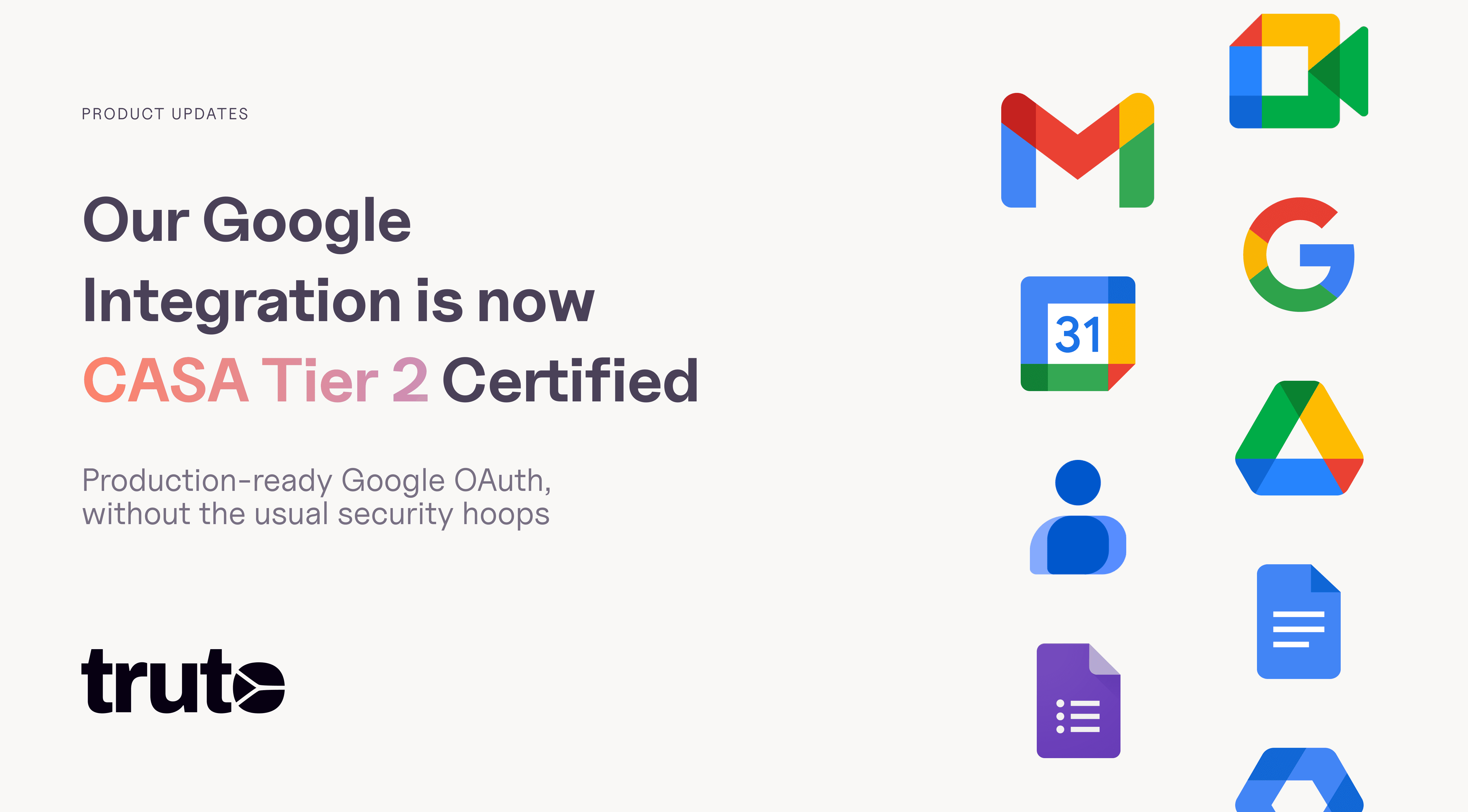
Our Google OAuth app is live and CASA Tier 2 certified


Truto’s Google OAuth application has successfully cleared Google’s Cloud Application Security Assessment (CASA) Tier 2 and is officially live on production.
This means teams can connect Google Workspace to Truto using a fully verified OAuth app, without limitations on the number of connections, unverified warnings, or additional approval steps from Google.
What this means for our customers
With our verified Google OAuth app, customers can securely connect:
Google Drive
Google Docs
Gmail
Google Calendar
Google Forms
Google Contacts
Google Meet, and
Google Admin Directory
Connections can be made using admin-level authorization, enabling visibility into users, groups, roles, and directory-level metadata where applicable.
Most importantly, customers do not need to undergo any Google verification themselves. The entire security and compliance burden is handled by Truto.
What CASA Tier 2 actually means
Google CASA Tier 2 is a deep security assessment covering:
Architecture and data flow reviews
Secure storage, OAuth implementation, and token handling
Infrastructure and operational security controls
Access control and least-privilege design
Incident response and vulnerability management
We worked closely with TAC Security and Google through a long, detailed, and expensive assessment process to ensure Truto meets Google’s highest standards for third-party OAuth applications.
The outcome for customers is multi-fold:
No need to spend months navigating additional verification or approval processes with Google
No internal budgeting or certification approval cycles
No need to spend weeks building and maintaining a Google Workspace integration from scratch
What data can Truto access
Below is a breakdown of the scopes we request and why they exist.
Identity and authentication
Used only to identify the connected user and establish a secure OAuth session.
User email address
Basic profile information
OpenID authentication context
Google Drive and Docs
Used for file discovery, metadata access, and document workflows.
Drive read-only access
Drive labels read-only
Google Docs access, explicitly scoped to document content
Gmail
Used for reading messages where email integrations are enabled.
Gmail read-only
Calendar and Meetings
Used for calendar visibility, scheduling, and availability checks.
Calendar lists and calendars
Calendar events
Public calendar events (read-only)
Google Meet space (read-only)
Contacts
Used to enrich user and contact profiles.
Contacts (read-only)
Other contacts (read-only)
Forms
Used to understand form structure and ingest responses for downstream workflows.
Forms structure (read-only)
Forms responses (read-only)
Admin Directory
Used only when admin-level visibility is required, such as access reviews, audits, or user directory syncs.
Users directory
Groups and group membership
Role management (read-only)
User security metadata
If your business requires a Google scope that is not listed above, let us know. We support adding new scopes on request and will work with Google through the required approval process before making them available.
Our approach to permissions
A few principles guide how we request scopes:
Read-only wherever possible
No broad “full access” scopes
Every permission is tied to a concrete Unified API feature
Admin scopes are only used when explicitly required
If a customer does not need a specific capability, that scope is simply not used.
What’s next
The Google OAuth integration is now live and available to all Truto customers.
If you are already using Truto, you can connect to Google Workspace immediately. If you want help enabling the integration or need a scope walkthrough for your security team, reach out to us anytime.
If you are evaluating Truto, this removes a major OAuth and security blocker from day one. You can schedule a quick consultation on how Truto can help you integrate 500+ applications.
Here are some potential use cases teams can now explore with our support for Google Workspace integrations with a read-to-use OAuth app:
User and access visibility across Google Workspace
Sync users, groups, roles, and security signals from Google Admin Directory into internal systems for audits, access reviews, and identity management workflows.
Document and file discovery for internal tools and AI workflows
Securely index Google Drive files and Google Docs metadata to power search, knowledge discovery, and AI assistants without exposing write access.Email and calendar insights for operational workflows
Read Gmail and Calendar data to automate reporting, activity timelines, or operational analytics while respecting scoped, read-only permissions.Form response ingestion and downstream automation
Pull Google Forms structures and responses into data pipelines, CRMs, or internal tools for lead intake, surveys, and operational workflows.Cross-tool context enrichment for support and CRM systems
Enrich tickets, CRM records, or internal dashboards with relevant Google Workspace context such as documents, meetings, and directory metadata.
Truto’s Google OAuth application has successfully cleared Google’s Cloud Application Security Assessment (CASA) Tier 2 and is officially live on production.
This means teams can connect Google Workspace to Truto using a fully verified OAuth app, without limitations on the number of connections, unverified warnings, or additional approval steps from Google.
What this means for our customers
With our verified Google OAuth app, customers can securely connect:
Google Drive
Google Docs
Gmail
Google Calendar
Google Forms
Google Contacts
Google Meet, and
Google Admin Directory
Connections can be made using admin-level authorization, enabling visibility into users, groups, roles, and directory-level metadata where applicable.
Most importantly, customers do not need to undergo any Google verification themselves. The entire security and compliance burden is handled by Truto.
What CASA Tier 2 actually means
Google CASA Tier 2 is a deep security assessment covering:
Architecture and data flow reviews
Secure storage, OAuth implementation, and token handling
Infrastructure and operational security controls
Access control and least-privilege design
Incident response and vulnerability management
We worked closely with TAC Security and Google through a long, detailed, and expensive assessment process to ensure Truto meets Google’s highest standards for third-party OAuth applications.
The outcome for customers is multi-fold:
No need to spend months navigating additional verification or approval processes with Google
No internal budgeting or certification approval cycles
No need to spend weeks building and maintaining a Google Workspace integration from scratch
What data can Truto access
Below is a breakdown of the scopes we request and why they exist.
Identity and authentication
Used only to identify the connected user and establish a secure OAuth session.
User email address
Basic profile information
OpenID authentication context
Google Drive and Docs
Used for file discovery, metadata access, and document workflows.
Drive read-only access
Drive labels read-only
Google Docs access, explicitly scoped to document content
Gmail
Used for reading messages where email integrations are enabled.
Gmail read-only
Calendar and Meetings
Used for calendar visibility, scheduling, and availability checks.
Calendar lists and calendars
Calendar events
Public calendar events (read-only)
Google Meet space (read-only)
Contacts
Used to enrich user and contact profiles.
Contacts (read-only)
Other contacts (read-only)
Forms
Used to understand form structure and ingest responses for downstream workflows.
Forms structure (read-only)
Forms responses (read-only)
Admin Directory
Used only when admin-level visibility is required, such as access reviews, audits, or user directory syncs.
Users directory
Groups and group membership
Role management (read-only)
User security metadata
If your business requires a Google scope that is not listed above, let us know. We support adding new scopes on request and will work with Google through the required approval process before making them available.
Our approach to permissions
A few principles guide how we request scopes:
Read-only wherever possible
No broad “full access” scopes
Every permission is tied to a concrete Unified API feature
Admin scopes are only used when explicitly required
If a customer does not need a specific capability, that scope is simply not used.
What’s next
The Google OAuth integration is now live and available to all Truto customers.
If you are already using Truto, you can connect to Google Workspace immediately. If you want help enabling the integration or need a scope walkthrough for your security team, reach out to us anytime.
If you are evaluating Truto, this removes a major OAuth and security blocker from day one. You can schedule a quick consultation on how Truto can help you integrate 500+ applications.
Here are some potential use cases teams can now explore with our support for Google Workspace integrations with a read-to-use OAuth app:
User and access visibility across Google Workspace
Sync users, groups, roles, and security signals from Google Admin Directory into internal systems for audits, access reviews, and identity management workflows.
Document and file discovery for internal tools and AI workflows
Securely index Google Drive files and Google Docs metadata to power search, knowledge discovery, and AI assistants without exposing write access.Email and calendar insights for operational workflows
Read Gmail and Calendar data to automate reporting, activity timelines, or operational analytics while respecting scoped, read-only permissions.Form response ingestion and downstream automation
Pull Google Forms structures and responses into data pipelines, CRMs, or internal tools for lead intake, surveys, and operational workflows.Cross-tool context enrichment for support and CRM systems
Enrich tickets, CRM records, or internal dashboards with relevant Google Workspace context such as documents, meetings, and directory metadata.
Truto’s Google OAuth application has successfully cleared Google’s Cloud Application Security Assessment (CASA) Tier 2 and is officially live on production.
This means teams can connect Google Workspace to Truto using a fully verified OAuth app, without limitations on the number of connections, unverified warnings, or additional approval steps from Google.
What this means for our customers
With our verified Google OAuth app, customers can securely connect:
Google Drive
Google Docs
Gmail
Google Calendar
Google Forms
Google Contacts
Google Meet, and
Google Admin Directory
Connections can be made using admin-level authorization, enabling visibility into users, groups, roles, and directory-level metadata where applicable.
Most importantly, customers do not need to undergo any Google verification themselves. The entire security and compliance burden is handled by Truto.
What CASA Tier 2 actually means
Google CASA Tier 2 is a deep security assessment covering:
Architecture and data flow reviews
Secure storage, OAuth implementation, and token handling
Infrastructure and operational security controls
Access control and least-privilege design
Incident response and vulnerability management
We worked closely with TAC Security and Google through a long, detailed, and expensive assessment process to ensure Truto meets Google’s highest standards for third-party OAuth applications.
The outcome for customers is multi-fold:
No need to spend months navigating additional verification or approval processes with Google
No internal budgeting or certification approval cycles
No need to spend weeks building and maintaining a Google Workspace integration from scratch
What data can Truto access
Below is a breakdown of the scopes we request and why they exist.
Identity and authentication
Used only to identify the connected user and establish a secure OAuth session.
User email address
Basic profile information
OpenID authentication context
Google Drive and Docs
Used for file discovery, metadata access, and document workflows.
Drive read-only access
Drive labels read-only
Google Docs access, explicitly scoped to document content
Gmail
Used for reading messages where email integrations are enabled.
Gmail read-only
Calendar and Meetings
Used for calendar visibility, scheduling, and availability checks.
Calendar lists and calendars
Calendar events
Public calendar events (read-only)
Google Meet space (read-only)
Contacts
Used to enrich user and contact profiles.
Contacts (read-only)
Other contacts (read-only)
Forms
Used to understand form structure and ingest responses for downstream workflows.
Forms structure (read-only)
Forms responses (read-only)
Admin Directory
Used only when admin-level visibility is required, such as access reviews, audits, or user directory syncs.
Users directory
Groups and group membership
Role management (read-only)
User security metadata
If your business requires a Google scope that is not listed above, let us know. We support adding new scopes on request and will work with Google through the required approval process before making them available.
Our approach to permissions
A few principles guide how we request scopes:
Read-only wherever possible
No broad “full access” scopes
Every permission is tied to a concrete Unified API feature
Admin scopes are only used when explicitly required
If a customer does not need a specific capability, that scope is simply not used.
What’s next
The Google OAuth integration is now live and available to all Truto customers.
If you are already using Truto, you can connect to Google Workspace immediately. If you want help enabling the integration or need a scope walkthrough for your security team, reach out to us anytime.
If you are evaluating Truto, this removes a major OAuth and security blocker from day one. You can schedule a quick consultation on how Truto can help you integrate 500+ applications.
Here are some potential use cases teams can now explore with our support for Google Workspace integrations with a read-to-use OAuth app:
User and access visibility across Google Workspace
Sync users, groups, roles, and security signals from Google Admin Directory into internal systems for audits, access reviews, and identity management workflows.
Document and file discovery for internal tools and AI workflows
Securely index Google Drive files and Google Docs metadata to power search, knowledge discovery, and AI assistants without exposing write access.Email and calendar insights for operational workflows
Read Gmail and Calendar data to automate reporting, activity timelines, or operational analytics while respecting scoped, read-only permissions.Form response ingestion and downstream automation
Pull Google Forms structures and responses into data pipelines, CRMs, or internal tools for lead intake, surveys, and operational workflows.Cross-tool context enrichment for support and CRM systems
Enrich tickets, CRM records, or internal dashboards with relevant Google Workspace context such as documents, meetings, and directory metadata.
Truto’s Google OAuth application has successfully cleared Google’s Cloud Application Security Assessment (CASA) Tier 2 and is officially live on production.
This means teams can connect Google Workspace to Truto using a fully verified OAuth app, without limitations on the number of connections, unverified warnings, or additional approval steps from Google.
What this means for our customers
With our verified Google OAuth app, customers can securely connect:
Google Drive
Google Docs
Gmail
Google Calendar
Google Forms
Google Contacts
Google Meet, and
Google Admin Directory
Connections can be made using admin-level authorization, enabling visibility into users, groups, roles, and directory-level metadata where applicable.
Most importantly, customers do not need to undergo any Google verification themselves. The entire security and compliance burden is handled by Truto.
What CASA Tier 2 actually means
Google CASA Tier 2 is a deep security assessment covering:
Architecture and data flow reviews
Secure storage, OAuth implementation, and token handling
Infrastructure and operational security controls
Access control and least-privilege design
Incident response and vulnerability management
We worked closely with TAC Security and Google through a long, detailed, and expensive assessment process to ensure Truto meets Google’s highest standards for third-party OAuth applications.
The outcome for customers is multi-fold:
No need to spend months navigating additional verification or approval processes with Google
No internal budgeting or certification approval cycles
No need to spend weeks building and maintaining a Google Workspace integration from scratch
What data can Truto access
Below is a breakdown of the scopes we request and why they exist.
Identity and authentication
Used only to identify the connected user and establish a secure OAuth session.
User email address
Basic profile information
OpenID authentication context
Google Drive and Docs
Used for file discovery, metadata access, and document workflows.
Drive read-only access
Drive labels read-only
Google Docs access, explicitly scoped to document content
Gmail
Used for reading messages where email integrations are enabled.
Gmail read-only
Calendar and Meetings
Used for calendar visibility, scheduling, and availability checks.
Calendar lists and calendars
Calendar events
Public calendar events (read-only)
Google Meet space (read-only)
Contacts
Used to enrich user and contact profiles.
Contacts (read-only)
Other contacts (read-only)
Forms
Used to understand form structure and ingest responses for downstream workflows.
Forms structure (read-only)
Forms responses (read-only)
Admin Directory
Used only when admin-level visibility is required, such as access reviews, audits, or user directory syncs.
Users directory
Groups and group membership
Role management (read-only)
User security metadata
If your business requires a Google scope that is not listed above, let us know. We support adding new scopes on request and will work with Google through the required approval process before making them available.
Our approach to permissions
A few principles guide how we request scopes:
Read-only wherever possible
No broad “full access” scopes
Every permission is tied to a concrete Unified API feature
Admin scopes are only used when explicitly required
If a customer does not need a specific capability, that scope is simply not used.
What’s next
The Google OAuth integration is now live and available to all Truto customers.
If you are already using Truto, you can connect to Google Workspace immediately. If you want help enabling the integration or need a scope walkthrough for your security team, reach out to us anytime.
If you are evaluating Truto, this removes a major OAuth and security blocker from day one. You can schedule a quick consultation on how Truto can help you integrate 500+ applications.
Here are some potential use cases teams can now explore with our support for Google Workspace integrations with a read-to-use OAuth app:
User and access visibility across Google Workspace
Sync users, groups, roles, and security signals from Google Admin Directory into internal systems for audits, access reviews, and identity management workflows.
Document and file discovery for internal tools and AI workflows
Securely index Google Drive files and Google Docs metadata to power search, knowledge discovery, and AI assistants without exposing write access.Email and calendar insights for operational workflows
Read Gmail and Calendar data to automate reporting, activity timelines, or operational analytics while respecting scoped, read-only permissions.Form response ingestion and downstream automation
Pull Google Forms structures and responses into data pipelines, CRMs, or internal tools for lead intake, surveys, and operational workflows.Cross-tool context enrichment for support and CRM systems
Enrich tickets, CRM records, or internal dashboards with relevant Google Workspace context such as documents, meetings, and directory metadata.
In this article
Content Title
Content Title
Content Title
ON THIS PAGE
Our Google OAuth app is live and CASA Tier 2 certified
More from our Blog
Product Updates
Introducing QueryBird: A simple, secure way to access your most valuable data
QueryBird is a secure, VPC-native scheduler that moves data from internal databases to external webhooks. Automate your data pipelines with a simple YAML configuration.

Product Updates
Introducing QueryBird: A simple, secure way to access your most valuable data
QueryBird is a secure, VPC-native scheduler that moves data from internal databases to external webhooks. Automate your data pipelines with a simple YAML configuration.

Product Updates
Introducing QueryBird: A simple, secure way to access your most valuable data
QueryBird is a secure, VPC-native scheduler that moves data from internal databases to external webhooks. Automate your data pipelines with a simple YAML configuration.

Educational
Understanding MCP Server Security Risks and Ways to Mitigate Them
A comprehensive guide to MCP security: understand key threats, examples, and effective strategies to secure your AI integrations.

Educational
Understanding MCP Server Security Risks and Ways to Mitigate Them
A comprehensive guide to MCP security: understand key threats, examples, and effective strategies to secure your AI integrations.

Educational
Understanding MCP Server Security Risks and Ways to Mitigate Them
A comprehensive guide to MCP security: understand key threats, examples, and effective strategies to secure your AI integrations.

Educational
What is MCP and MCP servers and How do they work
MCP, or Model Context Protocol, gives AI assistants a standard way to use external apps and data safely. This guide explains how hosts, servers, and tools interact, how JSON validation and structured results keep calls reliable, and why Unified APIs make integrations faster and easier to manage.

Educational
What is MCP and MCP servers and How do they work
MCP, or Model Context Protocol, gives AI assistants a standard way to use external apps and data safely. This guide explains how hosts, servers, and tools interact, how JSON validation and structured results keep calls reliable, and why Unified APIs make integrations faster and easier to manage.

Educational
What is MCP and MCP servers and How do they work
MCP, or Model Context Protocol, gives AI assistants a standard way to use external apps and data safely. This guide explains how hosts, servers, and tools interact, how JSON validation and structured results keep calls reliable, and why Unified APIs make integrations faster and easier to manage.

Take back focus where it matters. Let Truto do integrations.
Learn more about our unified API service and solutions. This is a short, crisp 30-minute call with folks who understand the problem of alternatives.
Take back focus where it matters. Let Truto do integrations.
Learn more about our unified API service and solutions. This is a short, crisp 30-minute call with folks who understand the problem of alternatives.
Take back focus where it matters. Let Truto do integrations.
Learn more about our unified API service and solutions. This is a short, crisp 30-minute call with folks who understand the problem of alternatives.
Developers
Developers
Developers
Accounting
ATS
Application Development
Business Intelligence
Conversational Intelligence
Default
Helpdesk
HRIS
Event Management
Marketing Automation
Remote Support
Ticketing
Did our integrations roster hit the spot?
© Yin Yang, Inc. 2024. All rights reserved.
9450 SW Gemini Dr, PMB 69868, Beaverton, Oregon 97008-7105, United States
Accounting
ATS
Application Development
Business Intelligence
Conversational Intelligence
Default
Event Management
Helpdesk
HRIS
Marketing Automation
Remote Support
Ticketing
Did our integrations roster hit the spot?
© Yin Yang, Inc. 2024. All rights reserved.
9450 SW Gemini Dr, PMB 69868, Beaverton, Oregon 97008-7105, United States
Accounting
ATS
Application Development
Business Intelligence
Conversational Intelligence
Default
Helpdesk
HRIS
Event Management
Marketing Automation
Remote Support
Ticketing
Did our integrations roster hit the spot?
© Yin Yang, Inc. 2024. All rights reserved.
9450 SW Gemini Dr, PMB 69868, Beaverton, Oregon 97008-7105, United States